Activity List and Details
Activity List
The Activity List is a tab on the Management page. It shows a list of all the program participants’ activities tht your account is allowed to view. Depending on your role, this list may be empty.
See the Table Customization guide for options on filtering or ordering rows.
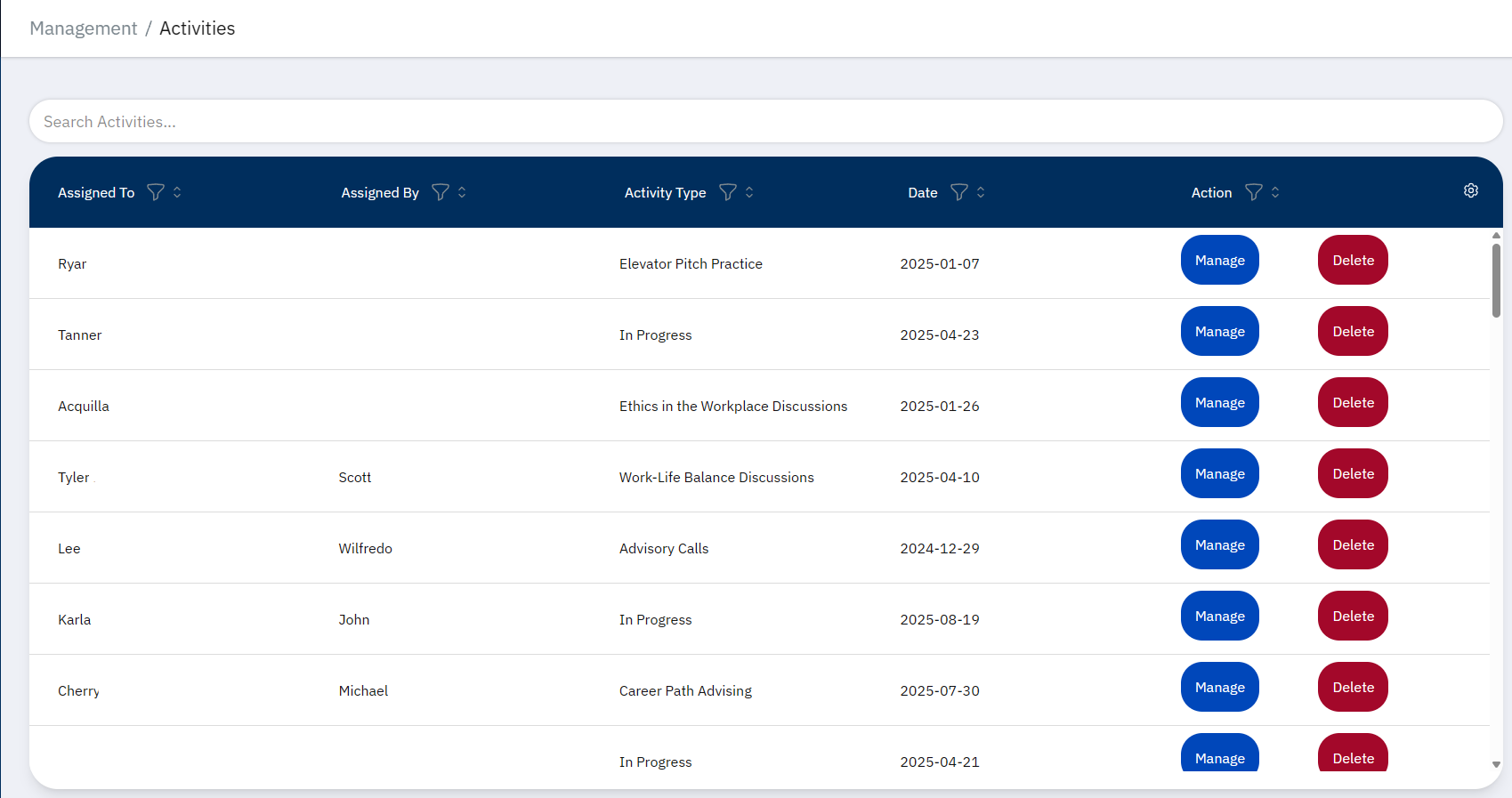
From this page, you can view an activity’s details by pressing the “Manage” button in the Actions column, or delete it with the “Delete” button.
Warning
Deleting an activity will remove it from both the activity list, as well as the Registration Detail pages for its participants.
Activity Detail
After pressing “Manage”, you will be taken to the activity’s detail page. This page shows the activity’s type, date, who it’s assigned by/to, and the responses for the questions.
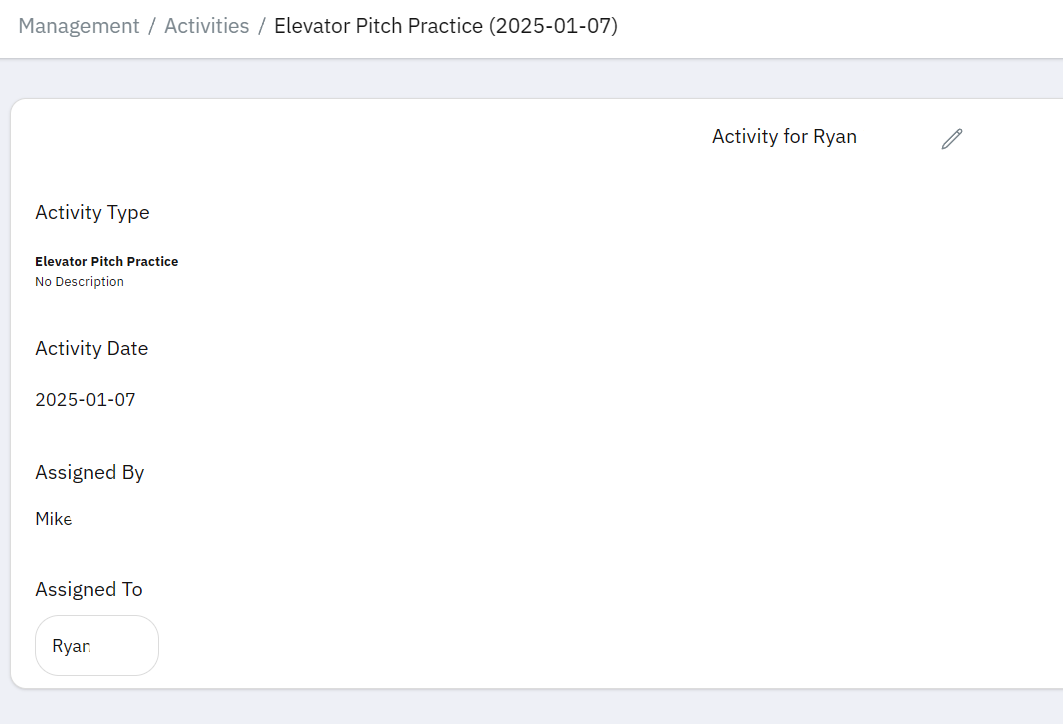
The name of the Young Professional the activity is assigned to is clickable, and will take you to their Registration Detail.
Editing an Activity
You can edit an activity by pressing the pencil icon. You will see the same popup that displays when logging an activity.
If you need to edit notes, you can do so on the registrant’s Registration Detail You would click Assign Activity, enter the same activity type, then edit the notes or date.