Matcher
Depending on your role, you may receive access to the automatic matching tool. This tool allows leaders to quickly compare program participants that have similar interests.
If you have access to Matcher, you will see a button for it on the sidebar.
Note
Matcher is constantly in development, and features are often changed. Please reference this guide for any questions, as it is kept up-to-date.
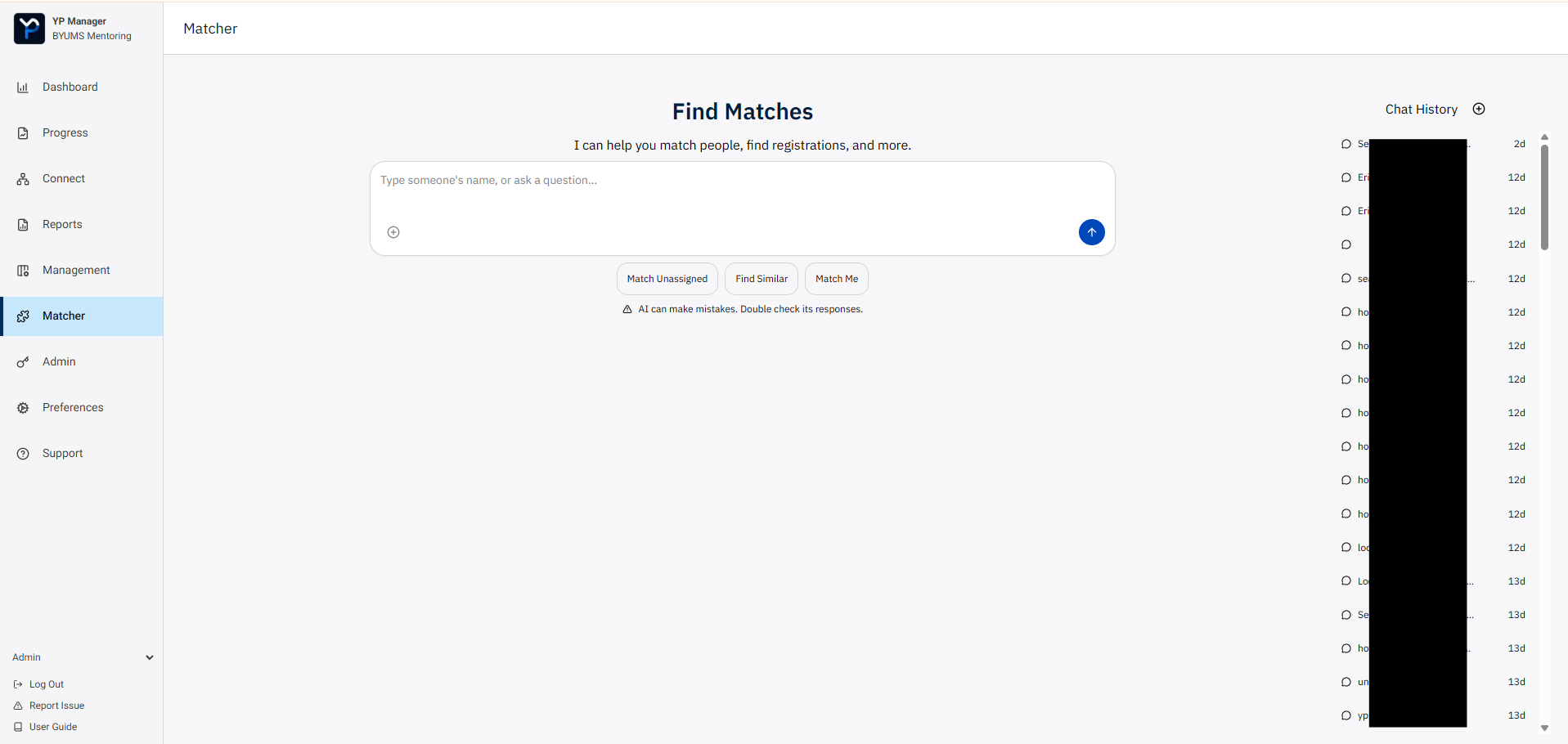
Matcher uses an AI Chat interface to find people. You can also find your chat history on the right of the screen.
You can start by just writing a person’s name, and the AI will get to work right away.
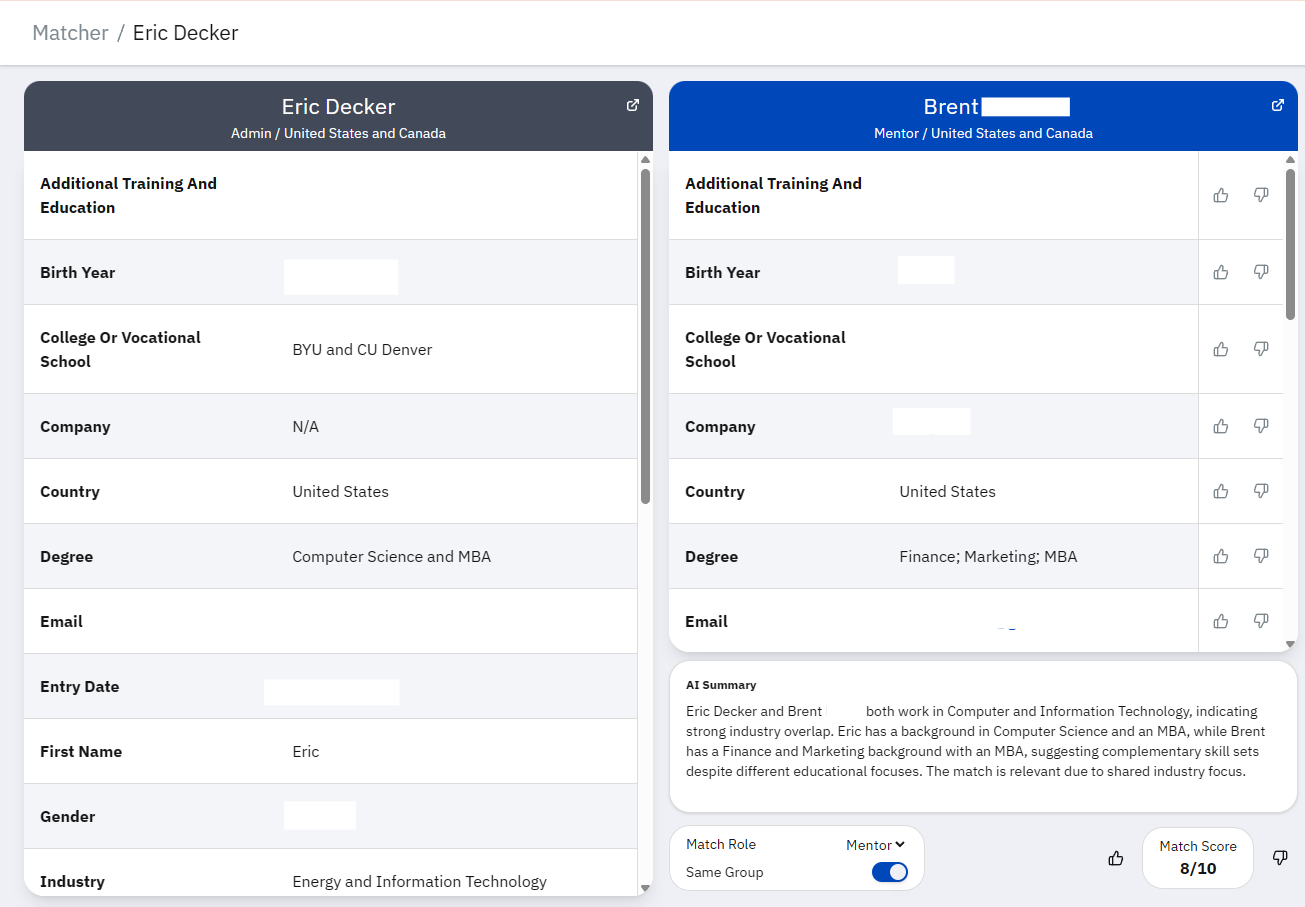
The match score will show in the suggestion card. You can click the open-book icon to see the matching registrations side-by-side.
Tip
Here are some bonus example queries for effective matchmaking:
Find the 3 newest registrations in US and Canada.
Do we have an Eric in the system?
Look for coaches in 2025
The AI can interpret data in the system quite effectively, so try something new or unique!
Note
The AI cannot yet make changes to data in the system, or create assignments.
Response quality may change over time as we develop matcher further. If you have issues, ideas, or suggestions, press the Report Issue button on the sidebar.
Warning
AI can make mistakes, so double check its responses. The YPCEP leadership and developers are not responsible for damage caused by incorrect information.